Connector guide
Amazon Ads to Data Studio: how to connect it, what it costs and how to keep the history
Getting Amazon Ads to Data Studio always runs through a partner connector, a Google Sheet, a warehouse such as BigQuery or exported reports, because Google does not ship a native Amazon connector. This guide is for ecommerce founders, Amazon sellers and vendors, and in-house marketers who want Sponsored Products, Sponsored Brands and Sponsored Display results in the same report as Google Ads, Meta and their store. I compare the four routes with prices checked in October 2026, explain the 60 and 95 day history limits that catch most teams out, and show how to report ACOS and ROAS beside other channels without breaking the totals.
Quick answer
How do I connect Amazon Ads to Data Studio?
Data Studio has no native Amazon Ads connector, so you add a partner connector from the gallery (Dataslayer, Adzviser, Windsor.ai, Two Minute Reports and others), write Amazon Ads reports into a Google Sheet, load them into BigQuery, or paste console exports. Supermetrics does not offer Amazon Ads in Data Studio. Store daily data yourself, because Amazon's API keeps only 60 to 95 days.
- Google ships no native Amazon Ads connector, and Supermetrics excludes Data Studio for Amazon Ads.
- Amazon's API keeps Sponsored Products data for 95 days and Brands and Display for 60.
- Sellers see 7-day Sponsored Products sales while Brands and Display use 14 days, so label every sales column.
- Combine Amazon with other channels in one appended table and calculate ROAS from summed spend and sales.
Is there a native Amazon Ads connector in Data Studio?
No. Data Studio's native connectors cover Google products and a set of databases: GA4, Google Ads, Search Console, Sheets, BigQuery, YouTube, Campaign Manager 360, Display and Video 360, Ad Manager, Cloud SQL, MySQL, PostgreSQL, SQL Server and Redshift. Amazon Advertising is not on that list, and the April 2026 rename from Looker Studio back to Data Studio did not change that.
Partner connectors fill the gap, and the list has grown. Google's Data Studio release notes record Amazon Ads and Amazon Seller Central connectors by Adzviser added on August 21, 2025, Amazon DSP by Dataslayer on September 25, 2025, and Amazon Ads by Dataslayer on November 6, 2025. Windsor.ai, Coupler.io, Two Minute Reports and Improvado also publish Amazon Ads to Data Studio integrations.
One name is missing that many buyers expect. Supermetrics' own Amazon Ads connection guide, read in October 2026, says that due to Amazon's policies, Amazon Ads is available only in Excel, data warehouse and API destinations. If your agency already pays for Supermetrics and assumes Amazon will appear in the Data Studio connector, it will not. The workaround is to send Amazon data to BigQuery through Supermetrics and read that table in Data Studio, which is a warehouse project, not a five-minute setup.
What are the four ways to get Amazon Ads data into Data Studio?
Each route trades setup speed against history, cost and how easily Amazon data can sit beside your other channels. Choose based on the number of advertising profiles (each marketplace is a separate one), how far back you need to report, and whether Amazon must share a table with Google Ads, Meta or Shopify.
A partner connector queries Amazon's Advertising API, or the vendor's stored copy of it, when a chart loads. A Sheets route writes daily Amazon reports into a Google Sheet on a schedule, and Data Studio reads the sheet through the native Sheets connector. A warehouse route loads daily campaign, ad group, keyword, search term and advertised product reports into BigQuery, where history builds up beyond Amazon's retention window. A manual route means downloading a report from the Amazon Ads console and pasting it into a sheet.
| Route | Setup effort | History you keep | Best for | Main drawback |
|---|---|---|---|---|
| Partner connector | Under an hour | Only what Amazon's API still holds, unless the vendor stores more | One brand, one or two marketplaces, an Amazon-only page | Year-on-year comparisons fail once data ages out |
| Sheets route | An hour or two | Everything since the first sync | Small accounts and a combined channel table | Sheets slows as search term and ASIN rows pile up |
| Warehouse (BigQuery) | Days, with modelling | Everything since the first load | Several marketplaces, multi-year trends, joins to Shopify or Seller Central sales | Needs a Google Cloud project and someone to maintain the SQL |
| Manual console export | Minutes each time | Whatever you save | A one-off audit or a board slide | Stale once saved, and copies drift between people |
How much does an Amazon Ads connector for Data Studio cost?
Entry prices run from free to about $32 or €29 a month on monthly billing, and the bill grows with accounts, other sources on the same plan and refresh frequency. The figures below come from each vendor's pricing page, read in October 2026. Vendors change prices often, so confirm before you buy.
Two details matter more than the headline price. First, the free and entry tiers limit history or rows: Windsor.ai's free plan carries a 30-day history limit and Coupler.io's free plan refreshes manually at 100 rows per run, which a search term or advertised product report for an active account can outgrow quickly. Second, count marketplaces as accounts. Dataslayer's own guide notes that a US and a UK Seller Central account are two separate profiles, each needing its own data source. Two Minute Reports, Adzviser and Improvado list Amazon Ads among their sources, but I could not read a clear Amazon price on the pages I checked, so they are left out of the table.
| Option | Free option | Paid pricing (October 2026) | What you get |
|---|---|---|---|
| Dataslayer | 15-day trial with full features, no card | Starter €29 per month, or €20 billed annually (1 user, 3 connectors); Advanced €119, or €99 billed annually (10 users, 7 connectors) | Amazon Ads and Amazon DSP partner connectors listed in the Data Studio gallery |
| Windsor.ai | Forever free: 1 user, 1 source, 1 account, daily sync, 30 days of history | Basic $23 per month, or $19 billed annually (3 sources, 75 accounts, daily); Standard $118, or $99 billed annually (7 sources, hourly) | Amazon Ads beside other ad, store and analytics sources on one plan |
| Coupler.io | Free: 1 account, manual refresh, 100 rows per run | Starter $32 per month, or $24 billed annually (3 accounts, daily, 5,000 rows per run); Active $132, or $99 billed annually (15 accounts, unlimited rows) | Amazon Ads reports written to Sheets, BigQuery or Data Studio on a schedule |
| Supermetrics | Not applicable | Not available for the Data Studio destination; Amazon Ads goes to Excel, warehouses or the API only | A BigQuery route if you already pay for Supermetrics |
| Your own pipeline | Not applicable | Your build and maintenance time, plus Google Cloud costs for BigQuery storage and queries | Exactly the reports and columns you choose, in tables you own, kept indefinitely |
How far back can you pull Amazon Ads data into Data Studio?
Not far. According to Intentwise's explainer on Amazon report retention, the Advertising API returns Sponsored Products data for up to 95 days and Sponsored Brands and Sponsored Display data for 60 days. Reports downloaded from the console keep 60 to 90 days depending on the report. Dataslayer's own guide says its Amazon Ads connector returns data from the current day back to 90 days ago.
This is the single most important fact on this page. A connector that reads Amazon live can never show last year's Prime Day or a year-on-year comparison, because the data is gone from Amazon's side. If you need trends beyond three months, start storing daily data in Sheets or BigQuery now. Every day you wait is a day of history you cannot get back.
| Amazon Ads data | How long Amazon keeps it | Source |
|---|---|---|
| Sponsored Products (API) | 95 days | Intentwise, Amazon report retention explainer |
| Sponsored Brands and Sponsored Display (API) | 60 days | Intentwise |
| Targeting and advertised product reports (console) | 90 days | Intentwise |
| Search term and purchased product reports (console) | 60 days | Intentwise |
| Dataslayer Amazon Ads connector lookback | 90 days | Dataslayer Amazon Ads and DSP guide, 2026 |
Why don't Amazon Ads numbers in Data Studio match the console?
Usually because the report and the console use different attribution windows, dates or profiles, not because the connector lost data. Check these in order before you blame the vendor.
- Attribution window: Openbridge's documentation on Amazon attribution metrics says Sponsored Products uses a 7-day click window for sellers and 14 days for vendors, while Sponsored Brands and Sponsored Display use 14 days. The API exposes 1, 7, 14 and 30 day versions of sales and orders, so a connector that defaults to 14-day sales will not match a seller's console view of Sponsored Products.
- Late sales: with a 7 or 14 day window, a click from last Tuesday can still earn a sale today. Last week's ACOS improves as days pass. Re-pull at least the last 14 days on every run instead of only appending yesterday.
- Conversion date vs click date: Openbridge notes that standard Sponsored Brands reports sales on the date of the conversion, while Sponsored Display and Sponsored Brands video report on the traffic date. Daily charts that mix them will not line up.
- Marketplaces and currency: each marketplace is a separate profile with its own currency. A US account in dollars added to a UK account in pounds produces a meaningless total until you convert both.
- Same-SKU vs brand halo: the API separates sales of the advertised SKU from other products of the same brand. Pick one for ACOS and say which on the page.
- DSP timing: Dataslayer's guide says Sponsored Ads data settles within about 24 hours, while DSP takes 48 to 72 hours, especially view-through metrics.
How do you report Amazon Ads beside Google Ads and Meta in one Data Studio dashboard?
Append every channel into one table with a channel column, then build combined charts on that table. A blend looks quicker, but Data Studio blends hold at most 5 sources and join on equal keys only, so an ASIN or campaign that exists on one platform but not another drops out or splits, and totals stop adding up. Dataslayer makes the same point from the other side: date, ASIN and account are reliable join keys, campaign names are not.
Map fields once in the table, not in every chart. Amazon reports cost and attributed sales; Google Ads reports cost and conversion value; Meta reports amount spent and purchase value. Rename them to spend and sales, keep a column that records which attribution window each row uses, and convert currencies before anything is summed.
Then fix the metric everyone argues about. Amazon teams talk in ACOS, which is spend divided by sales. Everyone else talks in ROAS, which is sales divided by spend. They are the same information upside down. Here is a worked example with round illustrative numbers. Amazon Sponsored Products spent $5,000 and recorded $20,000 in 7-day sales: ACOS 25%, ROAS 4.0. Google Ads spent $8,000 for $24,000 in conversion value: ROAS 3.0. A scorecard that averages the two ROAS fields shows 3.5. The correct combined ROAS is total sales divided by total spend: $44,000 divided by $13,000, or about 3.38. Build ROAS and ACOS as calculated fields on summed columns, for example SUM(sales) / SUM(spend), never as averages of each channel's ratio.
Finally, say what the number is. A combined ROAS mixes Amazon's last-touch click attribution with Google's own model, so it is a budget guide, not a profit figure. If you sell on Amazon and your own store, the honest page shows Amazon-attributed sales, store revenue from Shopify or WooCommerce, and total ad spend, side by side, rather than pretending one attribution model covers both.
| Reporting field | Amazon Ads | Google Ads | What to watch |
|---|---|---|---|
| Spend | Cost | Cost | Each marketplace or account bills in its own currency |
| Sales | Attributed sales (1, 7, 14 or 30 day) | Conversion value | Record the window per row; sellers' Sponsored Products default is 7 days |
| Orders | Attributed orders or units | Conversions | Units and orders are different counts; choose one |
| Efficiency | ACOS = spend / sales | ROAS = value / spend | Calculate from sums, never average ratios |
| Product | ASIN or SKU | Item ID from the Merchant Center feed | A mapping sheet links ASINs to your own SKUs |
How do you connect Amazon Ads to Data Studio step by step?
The clicks take minutes. The steps that keep the report working after the person who built it leaves are about access, history and definitions, so they are included here.
- Agree the numbers: list the figures you review each week and define each, for example spend in USD, 7-day attributed sales, same-SKU only.
- List every advertising profile you need, one per marketplace, and whether you are a seller, a vendor or both.
- Choose the route: a partner connector for an Amazon-only page, a Sheet or BigQuery table if you need history past 60 to 95 days or a combined channel view.
- Authorize from a business-owned Amazon Ads user with access to every profile, never a freelancer's or agency's personal login.
- Backfill as far as Amazon allows on day one, then schedule daily loads that re-pull the last 14 days so late sales are captured.
- Map fields, ASINs and currencies to your other channels, and add channel and attribution window columns.
- Reconcile last month's spend, clicks and sales against the Amazon Ads console using the same window, date range and profile.
- Set data source credentials to the owner's, share the report rather than the data source, and schedule email delivery for the weekly review.
When is Amazon Ads to Data Studio not worth it?
If Amazon is your only channel and the person running it lives in the Amazon Ads console anyway, a connector adds cost and one more thing to maintain. The console's own reports, or a dedicated Amazon PPC tool, may answer every question they have.
Good reasons to do it: leadership wants one view of spend and sales across Amazon, Google, Meta and your store; you need year-on-year history that Amazon will not keep; or an agency manages Amazon and you want independent reporting from data you own. Weak reasons: a prettier version of the console's campaign table, or a daily ACOS chart nobody acts on.
Do it yourself if you have one marketplace, a connector trial and someone comfortable with calculated fields. Bring in help when combined totals do not tie to any platform, when several marketplaces and currencies are involved, or when you need a BigQuery history that outlives Amazon's retention window.
How I handle Amazon Ads to Data Studio projects
I start with a free review of your Amazon Ads profiles, the other channels you report, any connector you already pay for, and the questions the report must answer. I recommend the cheapest route that will hold up and quote a fixed price for the build.
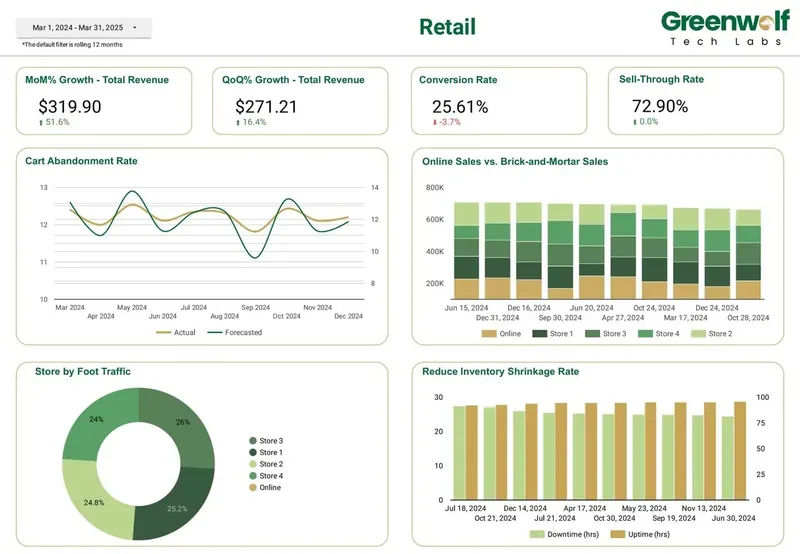
The work usually covers a daily history store in Sheets or BigQuery so nothing ages out, field, ASIN and currency mapping, an all-channel page with correctly calculated ROAS and ACOS, Amazon-only pages for the PPC team, reconciliation against the console for a recent full month, and a handover so your team can add marketplaces without me. Retail dashboards from projects I've led at Greenwolf Tech Labs follow the same approach, with online and in-store sales, conversion rate and revenue growth on shared definitions, owned in your Google account from day one.
FAQ
Frequently asked questions
Does Data Studio have a native Amazon Ads connector?
No. Data Studio's native connectors cover Google products such as Google Ads, GA4 and Search Console, plus Sheets, BigQuery and several SQL databases. Amazon Ads data needs a partner connector such as Dataslayer or Adzviser, a Sheets or BigQuery pipeline, or exported console reports.
Can I use Supermetrics to get Amazon Ads into Looker Studio?
Not directly. Looker Studio is now called Data Studio again, and Supermetrics' Amazon Ads guide says that due to Amazon's policies the connector is available only in Excel, data warehouse and API destinations. You can send Amazon data to BigQuery with Supermetrics and connect Data Studio to that table.
Is there a free Amazon Ads connector for Data Studio?
There are free tiers and trials. Windsor.ai's forever free plan covers 1 source and 1 account with 30 days of history, and Dataslayer offers a 15-day trial with no card. Both suit testing more than an ongoing multi-marketplace report.
How much Amazon Ads history can I see in Data Studio?
Through the Advertising API, Amazon keeps Sponsored Products data for 95 days and Sponsored Brands and Sponsored Display data for 60 days, according to Intentwise. To report further back, store daily data in a Google Sheet or BigQuery from the day you connect.
Why is my Amazon ACOS in Data Studio different from the Amazon console?
The most common cause is the attribution window. Sellers see 7-day Sponsored Products sales in the console, but many connectors default to 14-day sales. Recent days also change as late sales arrive, so refresh the last 14 days on every load.
Can I combine Amazon Ads, Google Ads and Meta in one Data Studio report?
Yes. Append all channels into one table in Sheets or BigQuery with a channel column, mapped field names and a single currency. Calculate ROAS and ACOS from summed spend and sales rather than averaging each channel's ratio, and label which attribution window each channel uses.
Do I need a separate connection for each Amazon marketplace?
Usually yes. Each marketplace is a separate advertising profile, and Dataslayer's documentation says a US and a UK Seller Central account each need their own data source. Count marketplaces as accounts when you compare connector plans.
Keep reading
Related pages
Get started
Tell me what the report has to answer
Send the question your team keeps asking and where the data lives today. I reply within one business day with how I would build it, which connectors it needs and what it would cost.
- Free 30-minute review of your data and reports
- A fixed price before any work starts
- Built in your Google account, so you own everything
Prefer email? harsh@greenwolftechlabs.com
Book a free review
Two lines is enough to start.