Connector guide
Amazon Ads to BigQuery: how to load it before Amazon deletes it
Moving Amazon Ads to BigQuery takes a third-party connector, your own code against the Amazon Ads API, Amazon Marketing Stream through AWS, or manual report uploads, because Google's BigQuery Data Transfer Service has no Amazon Ads source. This guide is for Amazon sellers, vendors and ecommerce analysts who want Sponsored Products, Brands and Display data kept in their own warehouse, usually to report it in Data Studio beside Seller Central sales and other ad channels. I compare the routes with current prices, explain why Amazon's short data retention makes storage urgent, and give a table design that handles marketplaces, currencies and attribution windows.
Quick answer
How do I connect Amazon Ads to BigQuery?
To connect Amazon Ads to BigQuery, use an ETL connector such as Windsor.ai, Coupler.io, Supermetrics or Airbyte, or build a pipeline on the Amazon Ads API. Google's Data Transfer Service has no Amazon source. Start loading quickly: the API keeps Sponsored Products data for about 95 days and Brands and Display for 60.
- Google's BigQuery Data Transfer Service lists no Amazon Ads or Seller Central source.
- Amazon's API returns Sponsored Products data for about 95 days, Brands and Display for 60.
- Every Amazon sales metric carries an attribution window, so pick one and label it.
- Year-on-year Amazon reporting is only possible if you have been storing daily data.
Can you send Amazon Ads to BigQuery natively?
No. Neither Amazon nor Google offers a built-in Amazon Ads to BigQuery transfer. I checked the supported sources for BigQuery Data Transfer Service on docs.cloud.google.com in November 2026: the marketing sources are Facebook Ads, HubSpot, Klaviyo and Mailchimp, plus Google's own products, and Amazon appears only as Amazon S3 and Amazon Redshift, which are storage and warehouse sources, not advertising data.
That leaves four practical routes: a managed connector that reads the Amazon Ads API for you, your own pipeline on that API, Amazon Marketing Stream feeding hourly data into AWS and then into BigQuery, or downloading reports from the console and uploading them. Every route except the last reads the same Amazon API underneath, so Amazon's retention and attribution rules apply whichever you pick.
Which Amazon Ads to BigQuery route should you choose?
Pick a managed connector if the marketing team owns reporting and nobody wants to maintain code. Pick Amazon Marketing Stream only if you need hourly bid and budget data and already run AWS. Build your own API pipeline if you manage many profiles across marketplaces and have an engineer. Use manual uploads only for a one-off audit.
| Route | How it is priced | Freshness | Best for | Main risk |
|---|---|---|---|---|
| Flat-fee connector (Windsor.ai, Coupler.io) | Monthly plan by sources or accounts | Daily, hourly on higher plans | Sellers with one to a few profiles | Plan limits on accounts and refresh |
| Usage-priced ETL (Estuary, Airbyte Cloud) | Volume of data moved | Near real time to daily | Teams with a warehouse stack already | Costs grow with search term reports |
| Own pipeline on the Amazon Ads API | Engineering time and hosting | Daily, as you schedule it | Agencies or brands with many profiles | Async report jobs and auth to maintain |
| Amazon Marketing Stream via AWS | AWS costs plus transfer to BigQuery | Hourly | Intraday bidding and dayparting analysis | Needs an AWS account and engineering |
| Console download and manual upload | Free | Whenever someone does it | A single backfill before data expires | Gaps and human error |
How much does it cost to get Amazon Ads into BigQuery?
For most sellers the connector subscription is the main cost and BigQuery is close to free. The prices below are what I read on each vendor's pricing page in November 2026; they change often, so check before you buy.
Windsor.ai's Basic plan is $19 a month billed annually ($23 monthly) for 3 data sources with daily refresh, and Standard is $99 a month annually ($118 monthly) for 7 sources with hourly refresh; BigQuery is a destination on all plans and the forever free plan covers 1 source and 1 account. Coupler.io's Starter plan is $24 a month annually ($32 monthly) for 3 accounts with daily refresh, Active is $99 a month annually for 15 accounts, and Pro is $199 a month annually for 50 accounts with hourly refresh. Estuary publishes $0.50 per GB moved plus $100 a month per connector instance.
On Google's side, the first 10 GiB of storage and the first 1 TiB of on-demand queries each month are free, then queries cost $6.25 per TiB. Amazon Ads rows are compact, so an ad dataset rarely leaves the free tier on its own. If you take the Marketing Stream route, add AWS charges for the queue or Firehose stream, storage in Amazon S3, and data leaving AWS. Google's Amazon S3 transfer into BigQuery carries no orchestration fee after Google's August 2026 pricing change, as reported by cloudmagazin.com.
- Do not build on the BigQuery sandbox: Google's documentation says sandbox tables expire after 60 days, which defeats the point of archiving Amazon data.
- Search term reports are the largest Amazon table by far, so check how a usage-priced tool counts them before you switch them on.
- Each marketplace is a separate advertising profile, and some connector plans count each profile as an account.
Why does Amazon's data retention make BigQuery urgent?
Because Amazon deletes detailed ad data after two to three months. According to Intentwise's explainer on Amazon report retention, the Ads API returns Sponsored Products data for up to 95 days and Sponsored Brands and Sponsored Display data for 60 days. Reports downloaded from the console last 60 to 90 days depending on the report: 90 days for targeting and advertised product reports, 60 for search term and purchased product reports.
In practice this means a connector that reads Amazon live cannot show last year's Prime Day, last quarter's search terms or any year-on-year trend. BigQuery fixes that only from the day you start loading. The first job on any Amazon Ads to BigQuery project is therefore a backfill of everything Amazon still holds, followed by a daily load that never deletes old rows. Start with search term data, because it has the shortest life and is the most useful for keyword and negative-keyword decisions.
| Amazon Ads data | Available for | Where |
|---|---|---|
| Sponsored Products via API | Up to 95 days | Amazon Ads API (Intentwise) |
| Sponsored Brands and Display via API | 60 days | Amazon Ads API (Intentwise) |
| Targeting and advertised product reports | 90 days | Ads console |
| Search term and purchased product reports | 60 days | Ads console |
| Anything you have loaded | As long as you keep it | Your BigQuery dataset |
A worked example: a seller in three marketplaces
Take a brand selling in the US, UK and Germany, each a separate Amazon Ads profile, with about 400 advertised products and 3,000 active keywords and targets. It wants daily campaign, product and target performance, weekly search terms, and a Data Studio dashboard that compares ad spend with total sales from Seller Central.
Daily target-level rows come to roughly 3,000 targets times 365 days, about 1.1 million rows a year, plus 146,000 product rows and a few thousand campaign rows. Search term reports add the most volume, perhaps several million rows a year for an account this size. Even at 400 bytes a row the whole dataset stays in the low gigabytes, inside the 10 GiB free storage for the first year or so. Report queries against date-partitioned summary views scan megabytes.
The real decision is the connector. Three profiles fit Coupler.io's Starter plan, or Windsor.ai's Basic plan if Amazon Ads is one of three sources, at $19 to $32 a month depending on vendor and billing term, provided the plan counts profiles as accounts the way you expect. Add Seller Central and Google Ads as sources and the next tier up, around $99 a month annually at either vendor, becomes likely. This is my own estimate from the published prices above, not a quote; your row counts depend on targets, search terms and marketplaces.
Why don't Amazon Ads numbers in BigQuery match the console?
Usually because of attribution windows. Amazon reports sales and purchases as separate metrics per window: the API exposes 1, 7, 14 and 30-day variants such as sales7d, sales14d, purchases7d and purchases30d, as Adriel's Amazon Ads data reference documents. The console defaults differ by ad product, typically 7 days for Sponsored Products and 14 for Sponsored Brands and Display. A view that mixes sales14d for one product with sales7d for another produces a ROAS figure nobody can reconcile.
Late conversions are the second cause. Attributed sales keep arriving until the window closes, so a pipeline that only loads yesterday understates the last two weeks. Reload at least the last 14 days, and 30 if you report 30-day metrics, on every run. Time zones are the third: each marketplace profile reports in its own time zone, so a UK day and a US day do not line up. Store the profile time zone and convert only in a view.
How do you connect Amazon Ads to BigQuery step by step?
The steps are the same for most connectors. The ones people skip, the backfill, the attribution choice and the reconciliation, decide whether the data can be trusted.
- Create a Google Cloud project with billing enabled and a BigQuery dataset in the region where your other ecommerce data lives.
- Make sure the Amazon user authorising the connector has access to every advertising profile and marketplace you need, including any DSP entity.
- Authorise Amazon Ads in the connector, select all profiles, and choose reports: campaigns, ad groups, advertised products, targets and search terms for each ad type.
- Choose one attribution window per ad type, load the matching sales and purchase metrics, and record the choice in the table description.
- Backfill everything Amazon still returns in the first run, starting with search terms and Sponsored Brands and Display, which expire first.
- Partition tables by date and set each run to reload the last 14 to 30 days rather than append.
- Reconcile one full month of spend, clicks and attributed sales against the console for each marketplace before building the Data Studio report.
How should Amazon Ads tables be designed in BigQuery?
Design around profiles, currencies and windows. One Amazon business can hold several marketplaces in different currencies and time zones, and every sales column carries an attribution window, so the schema has to make all three explicit.
Partition fact tables by date and cluster them by profile and campaign. Keep one table per report type rather than one wide table, because Sponsored Products, Brands and Display expose different fields. Store spend and sales in the marketplace currency with a currency column, and convert to one reporting currency in a view using a dated exchange rate table. Keep campaign, ad group and keyword names in dimension tables keyed on Amazon's IDs.
- Profile ID, marketplace, currency and time zone on every fact row.
- Sales and orders columns named with their window, for example sales_7d and sales_14d, never just sales.
- A merge on the last 14 to 30 days on every run, so late conversions replace earlier figures.
- ASIN and SKU carried through, so ad data joins to Seller Central orders and inventory.
- A summary view for Data Studio that exposes ACoS and TACoS with the window stated in the field name.
When is Amazon Ads to BigQuery not worth it?
When you run one marketplace, manage campaigns day to day in the console, and only need the last few weeks in a report. A partner connector straight into Data Studio is simpler, and my Amazon Ads to Data Studio guide covers that route. Even then, consider a cheap daily archive into a Google Sheet so history is not lost.
BigQuery earns its place when you need history beyond Amazon's 60 to 95 days, several marketplaces in one model, ad spend joined to Seller Central sales for TACoS, or Amazon beside Google Ads, Meta and GA4 in one report. Data Studio blends stop at 5 sources with equality joins only, while BigQuery can union every channel into one table.
How I handle Amazon Ads to BigQuery projects
I start with a free review of your profiles, marketplaces and what your reports need to answer. Then I recommend the cheapest route that will hold up, run the backfill first so nothing more expires, and quote a fixed price for the pipeline, the table design, the summary views and the Data Studio dashboard.
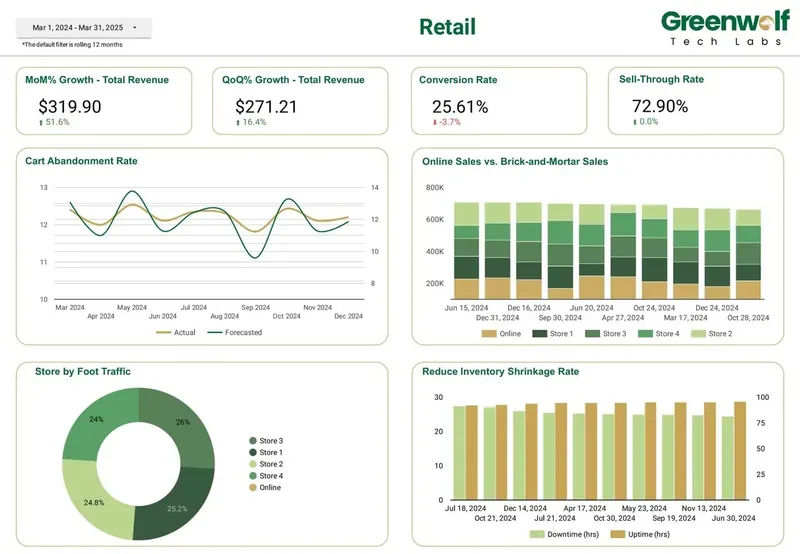
Everything is built in your Google Cloud project and your connector account, with the attribution choices, reload window and views documented, so nothing depends on my login. Retail dashboards I've led at Greenwolf Tech Labs track revenue growth, conversion rate, sell-through and online against in-store sales, and Amazon advertising data fits the same model once it sits in BigQuery.
FAQ
Frequently asked questions
Does BigQuery Data Transfer Service support Amazon Ads?
No. As of November 2026 Google's list of transfer sources includes Facebook Ads, HubSpot, Klaviyo and Mailchimp but no Amazon Ads or Seller Central source. Amazon S3 and Redshift are supported, which helps only if your Amazon data already lands in AWS.
How far back can I load Amazon Ads data into BigQuery?
Only as far as Amazon still holds it: about 95 days for Sponsored Products and 60 days for Sponsored Brands and Display through the API, according to Intentwise. Run a full backfill on day one and keep every row from then on.
Is there a free way to connect Amazon Ads to BigQuery?
Yes, with limits. Windsor.ai's forever free plan covers one data source and one account, and console reports can be downloaded and uploaded to BigQuery by hand. Manual uploads miss days easily, so they suit a one-off backfill, not ongoing reporting.
Can I get Amazon DSP data into BigQuery?
Yes, through connectors that support DSP reporting or your own pipeline on the Amazon Ads API, provided your user has access to the DSP entity. DSP data has different fields from Sponsored ads, so keep it in its own tables and join on campaign and date.
What is Amazon Marketing Stream and do I need it?
Amazon Marketing Stream pushes hourly Sponsored Products traffic and conversion data to an AWS SQS queue or Amazon Data Firehose stream. You need it only for intraday bidding or dayparting analysis. It requires an AWS account and engineering to move the data on to BigQuery.
Which attribution window should I use for Amazon Ads in BigQuery?
Match the window your team uses in the console, commonly 7 days for Sponsored Products and 14 for Sponsored Brands and Display. Load it explicitly, name the columns with the window, and never mix windows inside one ROAS or ACoS calculation.
Can I join Amazon Ads to Seller Central sales in BigQuery?
Yes, and it is the main reason to use BigQuery. Load Seller Central orders into the same dataset, join on ASIN or SKU, marketplace and date, and calculate TACoS as ad spend over total sales. My Amazon Seller Central to Data Studio guide covers the sales side.
Keep reading
Related pages
Get started
Tell me what the report has to answer
Send the question your team keeps asking and where the data lives today. I reply within one business day with how I would build it, which connectors it needs and what it would cost.
- Free 30-minute review of your data and reports
- A fixed price before any work starts
- Built in your Google account, so you own everything
Prefer email? harsh@greenwolftechlabs.com
Book a free review
Two lines is enough to start.